Looking for an Audyssey app alternative? AVR Maestro switches your Denon or Marantz receiver's Audyssey settings from your phone: the MultEQ curve (Reference, Bypass L+R, Flat or Off), Dynamic EQ, Reference Level Offset, Dynamic Volume and LFC. It does not run the calibration: the mic and the Audyssey app still do that, and custom target curves need the paid MultEQ Editor app.




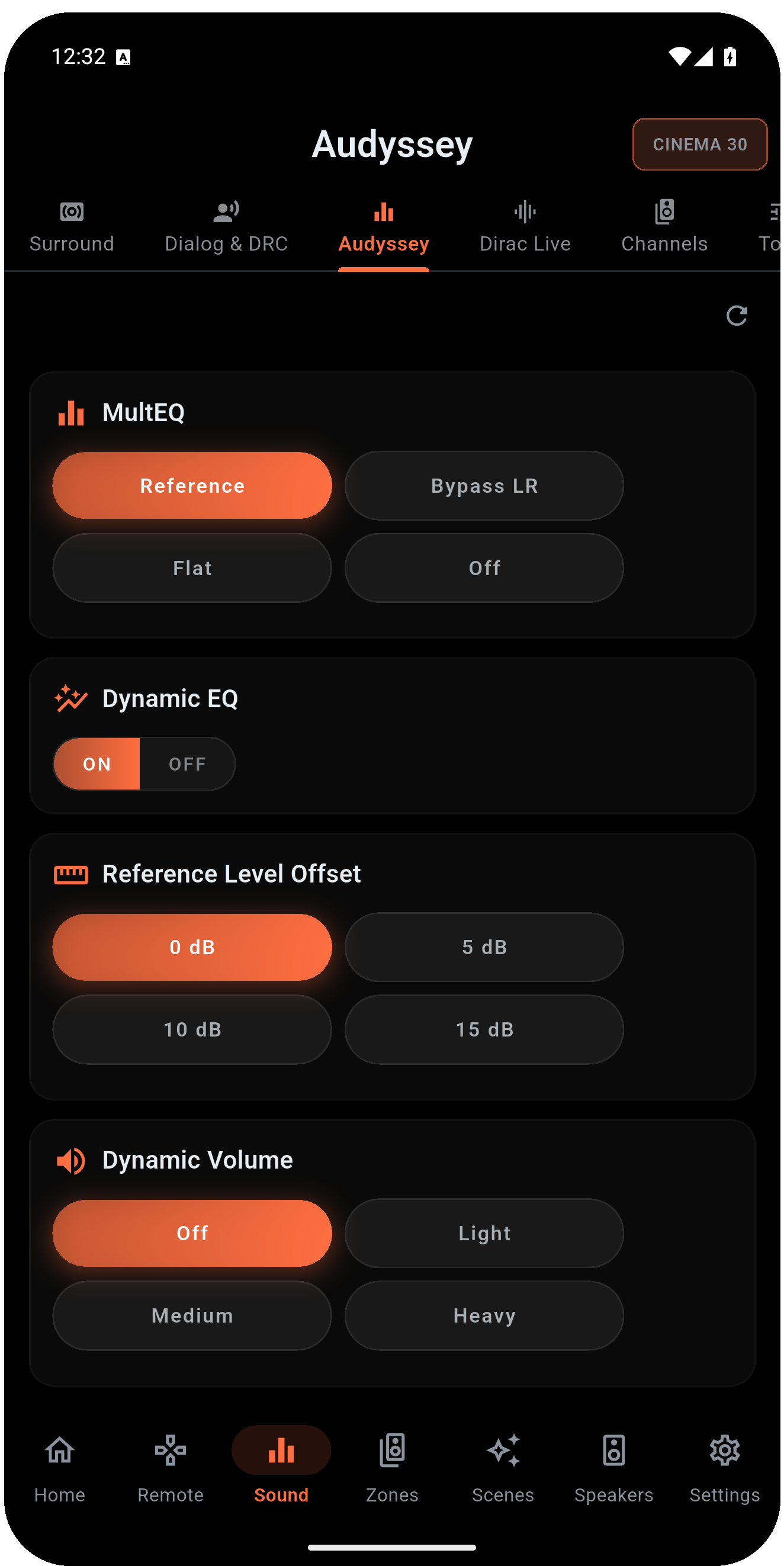
The controls you reach for after calibration, read live from the receiver. Each one appears only when your receiver exposes it.
Switch between Reference, Bypass L+R, Flat and Off without opening the receiver's on-screen menu.
Keep bass and surrounds full at low volume, and set the offset for your room and taste.
Even out loud and quiet passages for late-night listening.
Low Frequency Containment with a containment-level stepper.
A 9-band curve per speaker, 63Hz to 16kHz, -20 to +6 dB. Copy starts from your measured Audyssey curve. The receiver runs room correction or the manual EQ, never both.
Store your Audyssey choices in a Scene and recall them with input, volume, sound mode and speaker preset in one tap.
AVR Maestro is not a calibration tool. It puts the day-to-day control in your pocket and leaves the measuring to the tools built for it.
| Task | AVR Maestro |
|---|---|
| Switch the MultEQ curve, Dynamic EQ, Dynamic Volume, LFC | Yes |
| Switch Dirac Live filter slots by name | Yes, with a Dirac Live license |
| Run the calibration with the mic | No, the Audyssey app does that |
| Custom target curves | No, that needs the paid MultEQ Editor app |
On Denon and Marantz, Audyssey and Dirac Live are tied to the speaker preset and only one is active at a time. See Audyssey & Dirac Live control and Audyssey vs Dirac Live. AVR Maestro is an independent app and is not affiliated with Audyssey.
One-time purchase. No ads, no subscriptions. Connect to your Denon or Marantz in under a minute.
 AVR Maestro