HomeUser Guide › Radio
FM/AM tuner

A real radio, with named presets

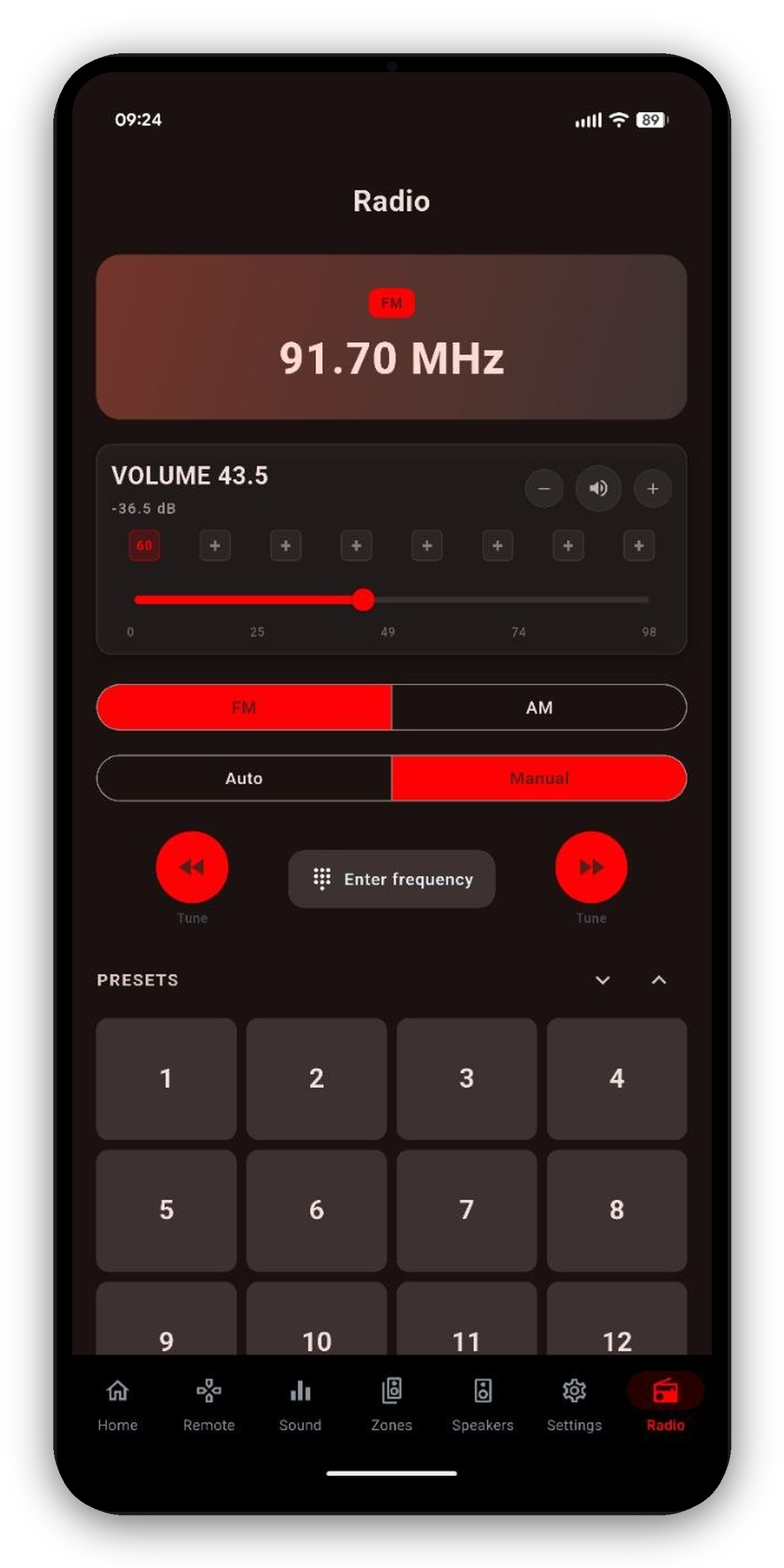
On Denon and Marantz receivers with a built-in tuner, AVR Maestro gives you a proper FM/AM radio UI. The station card shows the live band, frequency and active preset, and follows the receiver in real time.

FM/AM tuner in AVR Maestro
How it works

Tune, scan and save

If the Radio tab is hidden, re-add it from Settings → Customize Navigation - it only appears when your receiver exposes a tuner.
Common questions

Tuner FAQ

Can I control the FM/AM radio from the app?
Yes, on receivers with a built-in tuner - live band/frequency/preset display, FM/AM switching, Auto or Manual tuning, a keypad to jump to a frequency, and a preset grid.
Can I name my presets?
Yes - long-press a slot to save the current station, add or rename a label ("Jazz 88", "NPR"), or clear it.
Why don't I see the Radio tab?
It only appears on receivers with a built-in tuner. If yours has one, confirm the tuner shows as an input and re-enable the tab from Settings, Customize Navigation.

Bring your receiver's radio to your phone

One-time purchase, no ads, no subscriptions. Connect in under a minute.

Get it on Google Play Download on the App Store Download on the Mac App Store Get it on the Microsoft Store

Back to the full User Guide →