HomeUser Guide › Speakers
Speaker setup & presets

A dedicated Speakers workshop

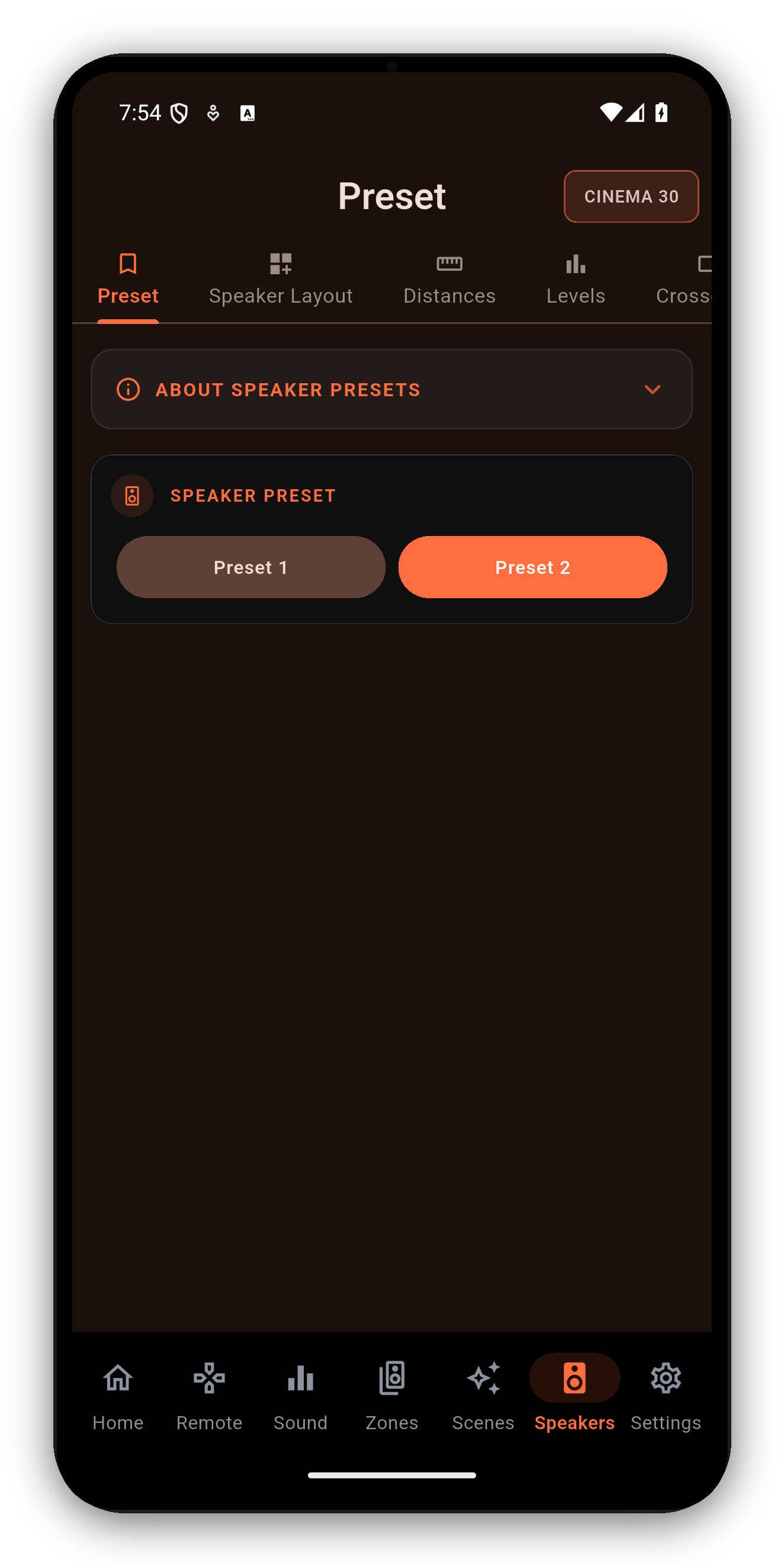
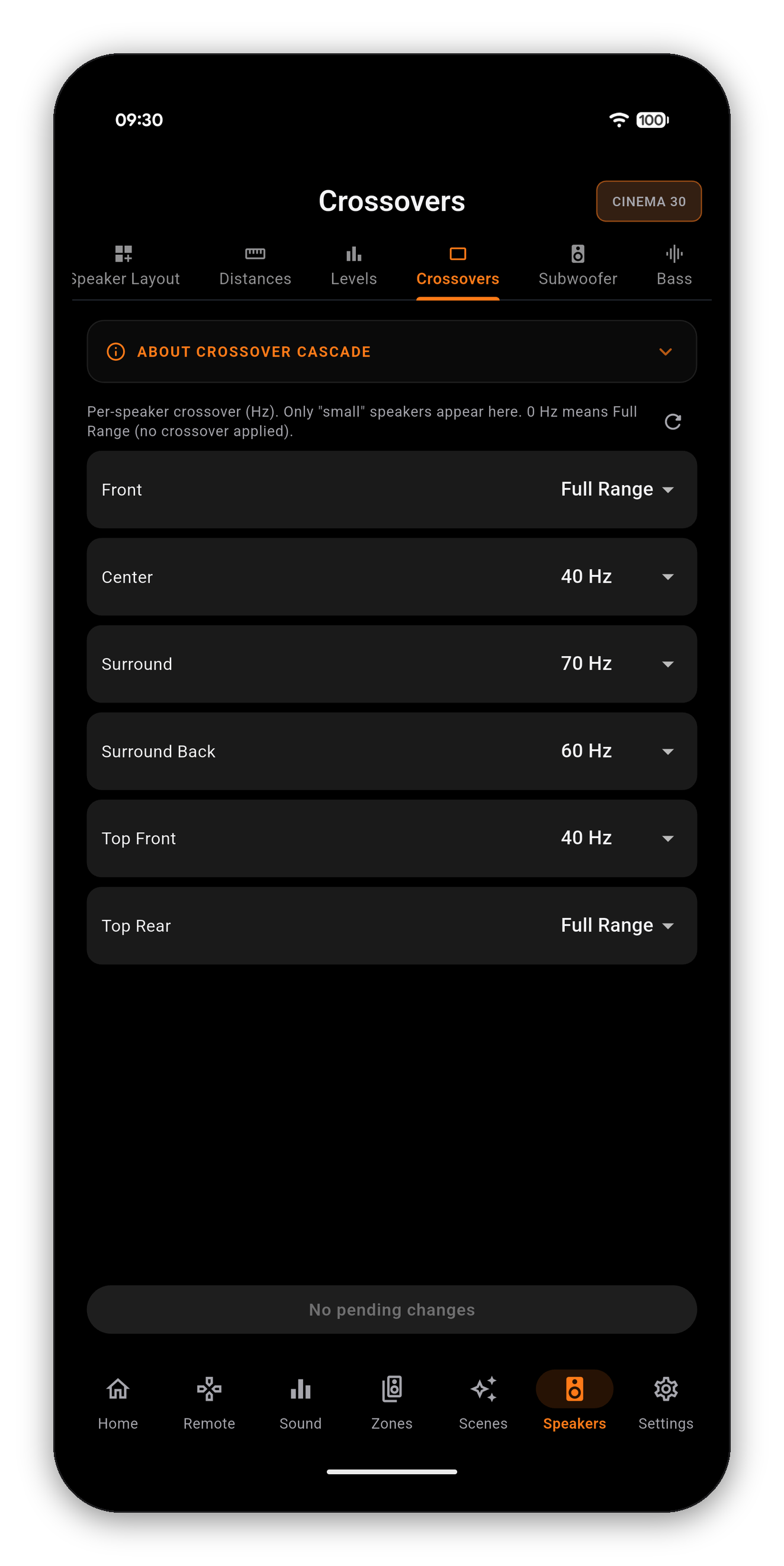
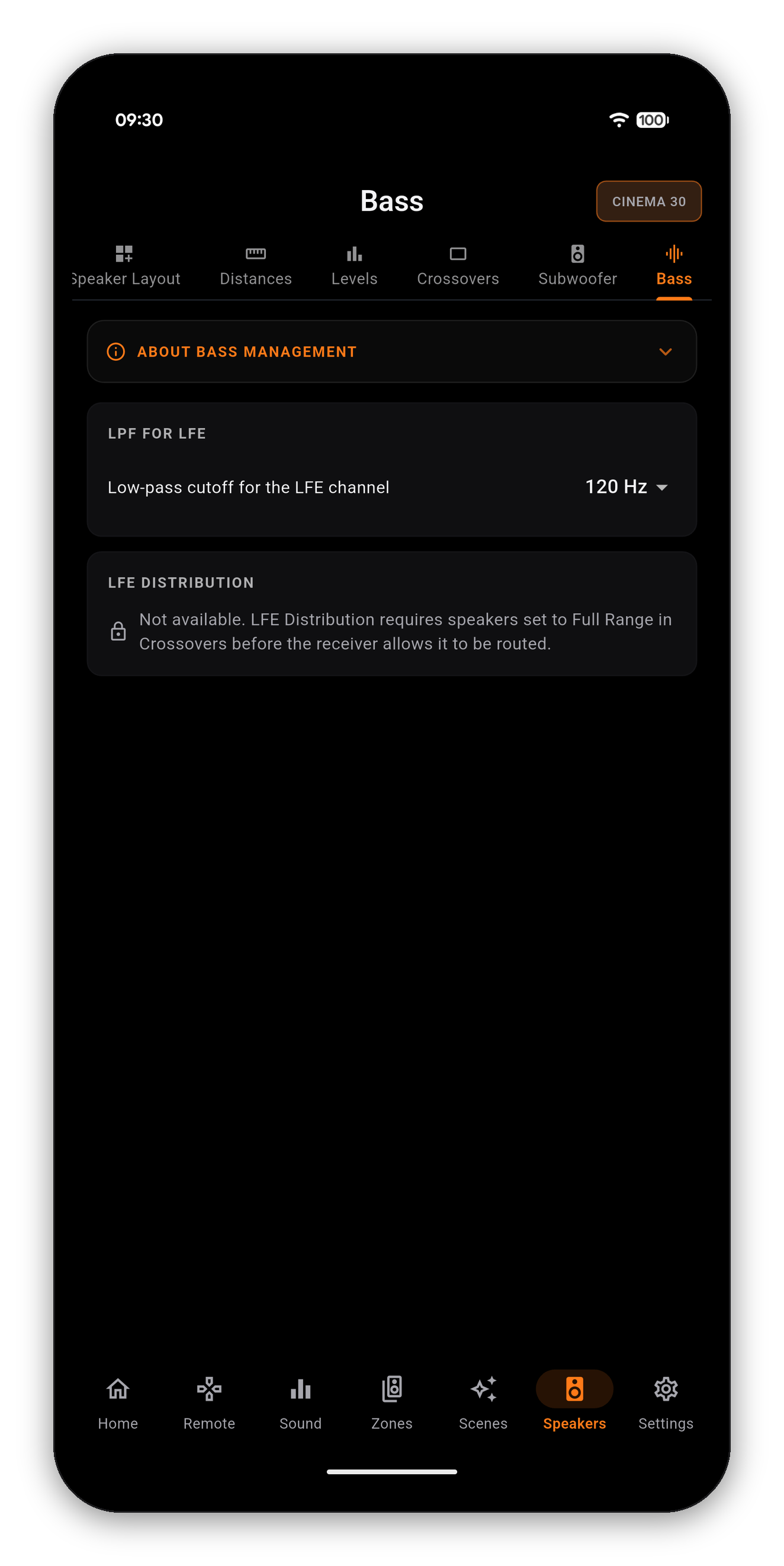
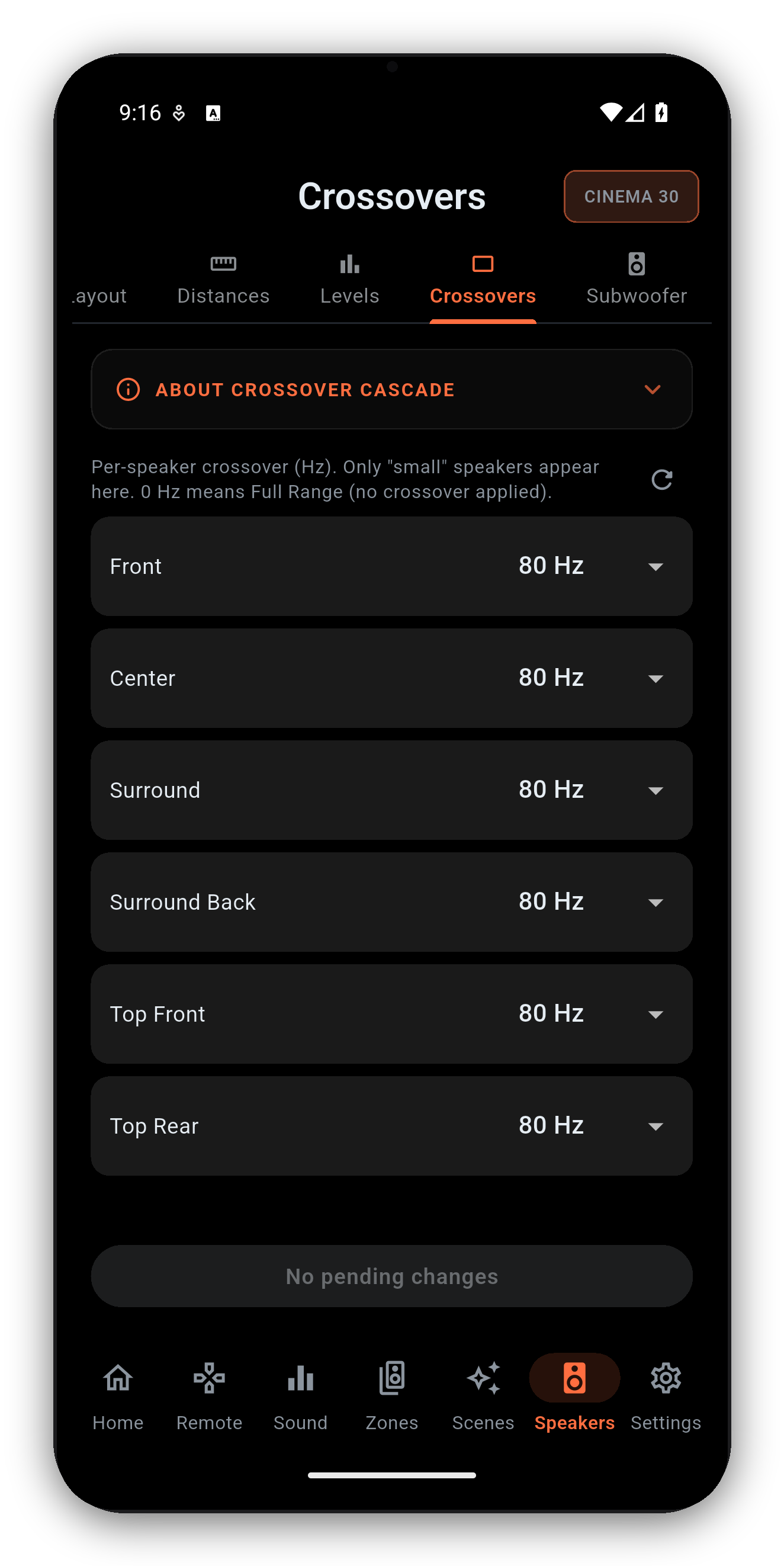
Layout, distances, levels, crossovers, subwoofer and speaker presets - the full setup suite, read live from your Denon or Marantz receiver, with each screen following the active Speaker Preset.
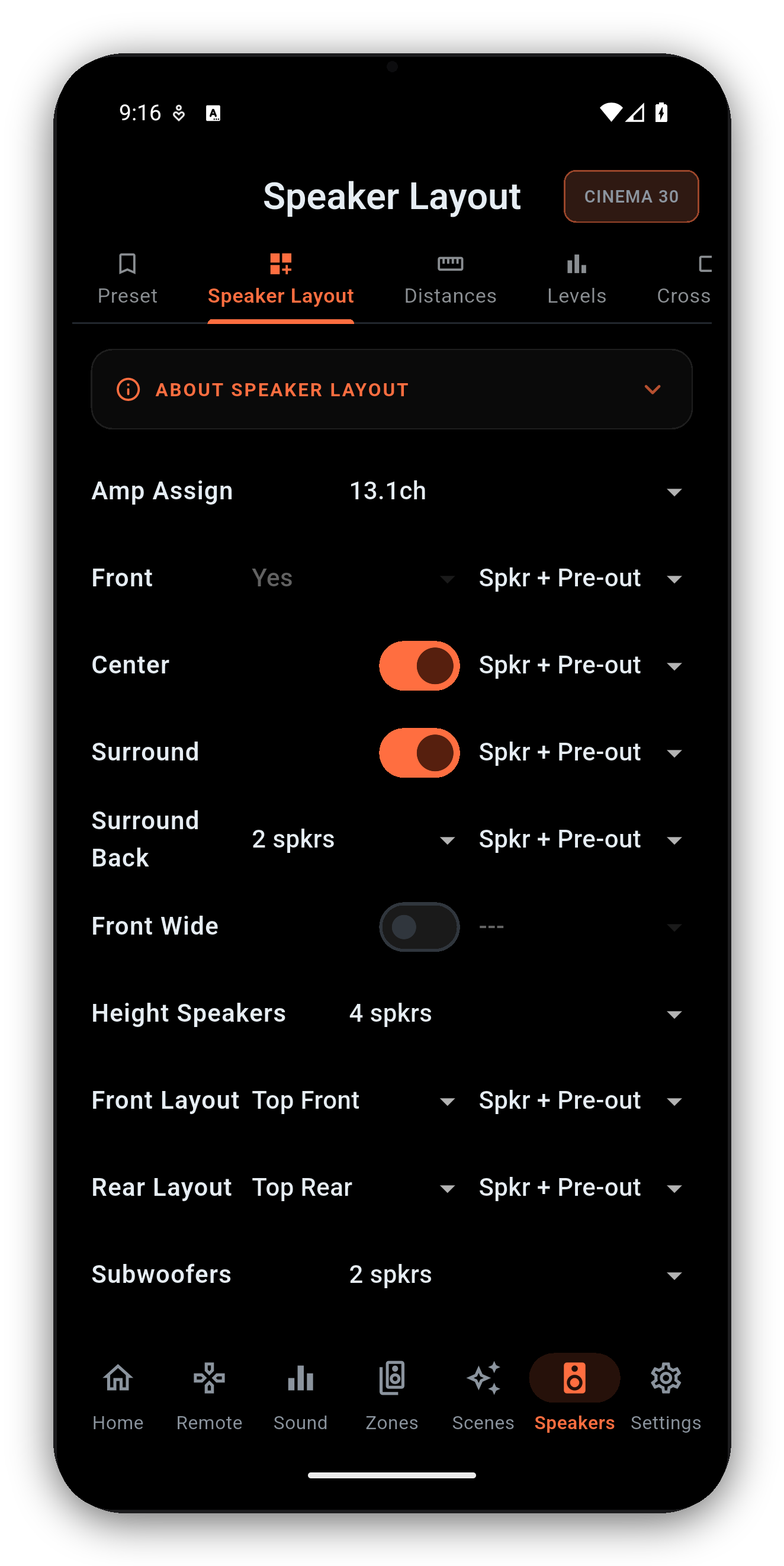
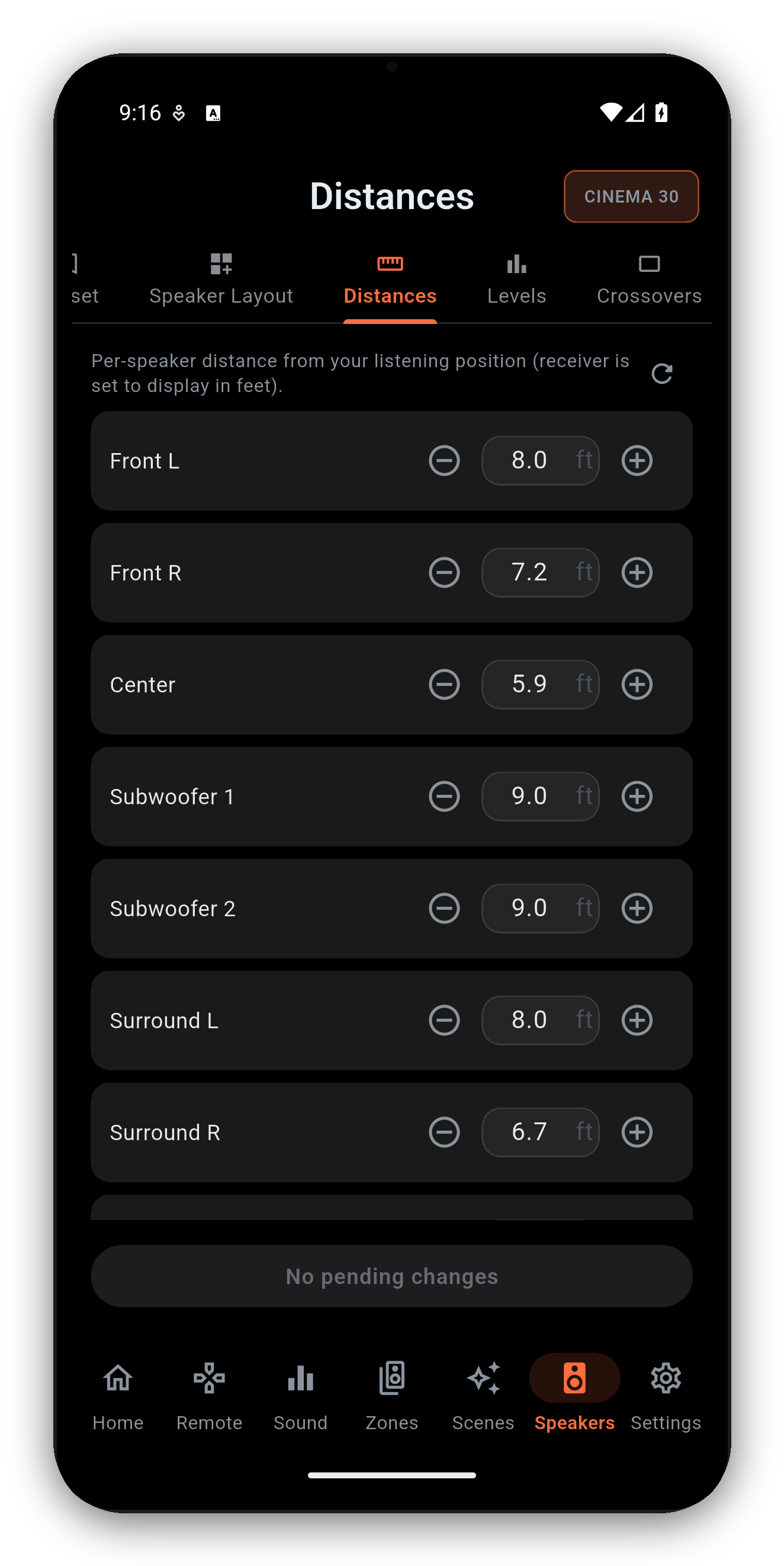
Every setup screen, on your phone

Smart about Dirac

It won't let you push edits the receiver would reject

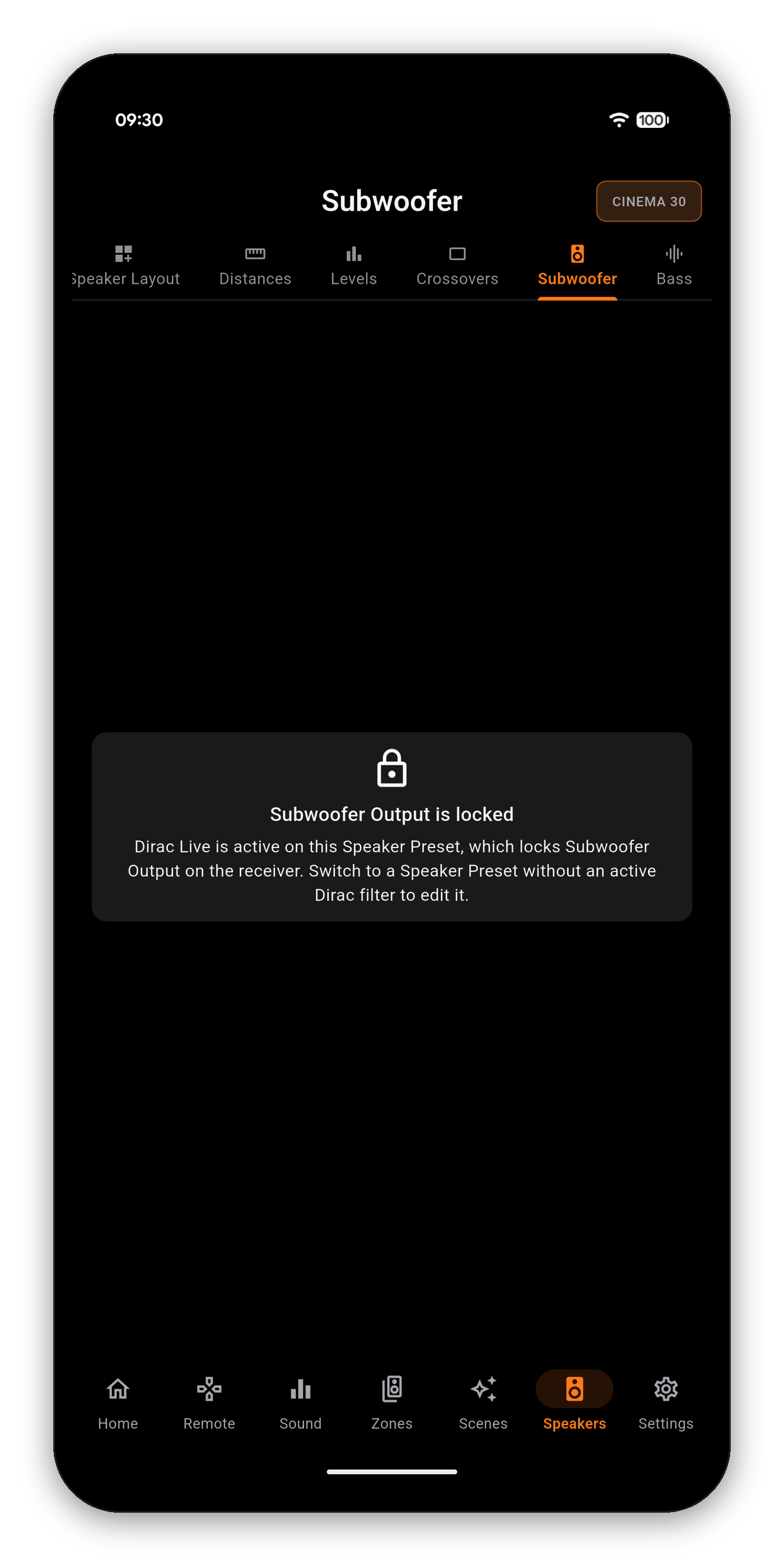
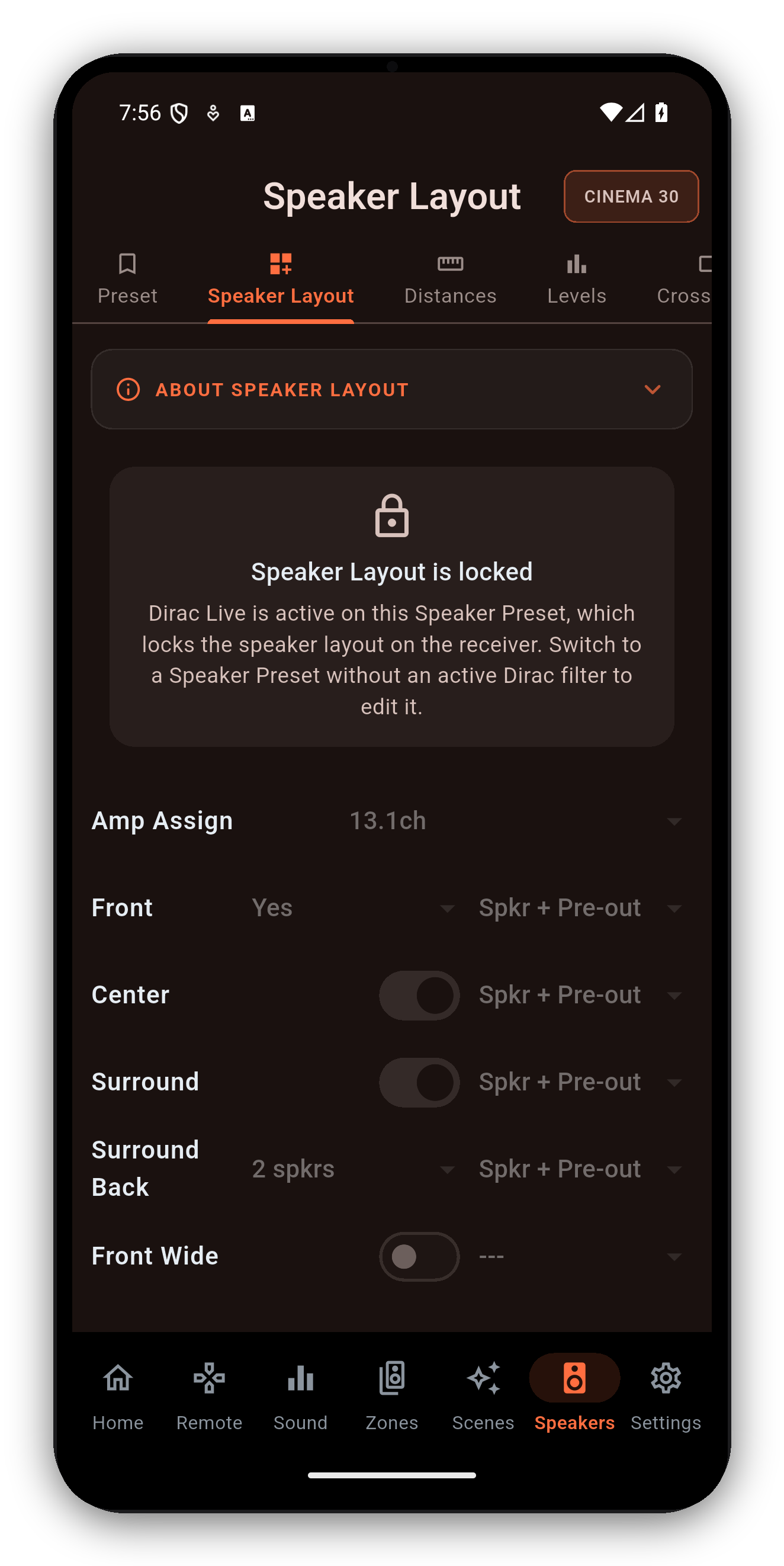
The screens above are fully editable on a standard Speaker Preset. But when a Dirac Live filter is active on a preset, Dirac owns the layout, distances and crossovers - so instead of letting you make changes the receiver would silently ignore, AVR Maestro shows a clear lock and tells you exactly why. Switch to a non-Dirac preset to edit them.

A Dirac-locked speaker screen
Older firmware? On some pre-2025 receivers (the X4500H / X6700H / S960H / X4700H class), the receiver can't serve the Speaker Layout or Subwoofer Output screens to the app over the network. Rather than show a broken screen, AVR Maestro hands you a one-tap button straight into the receiver's own web control for those edits - the rest of the Speakers suite still works normally. Receivers on newer firmware serve every screen directly.
Common questions

Speaker setup FAQ

Can I set distances and levels from the app?
Yes - amp assign and layout, per-speaker distances, channel levels, crossovers and subwoofer settings, all read live and following the active Speaker Preset.
Why are some speaker screens locked?
When a Dirac Live filter is active on the preset, Dirac owns the layout, distances and crossovers. The app shows a lock instead of letting you push edits the receiver would reject. Switch to a non-Dirac preset to edit them. More on the Audyssey & Dirac guide.
What are Speaker Presets?
Preset 1 and 2 each store their own layout, distances, levels, crossovers and calibration. Switch between them in the app; every Speakers screen follows the active preset.

Dial in your speakers from the couch

One-time purchase, no ads, no subscriptions. Connect in under a minute.

Get it on Google Play Download on the App Store Download on the Mac App Store Get it on the Microsoft Store

Back to the full User Guide →