HomeReceivers › Denon AVR-X3800H
Popular powerhouse, fully controlled

The Denon AVR-X3800H app it deserves

The X3800H is one of Denon's most popular Atmos powerhouses. AVR Maestro is the controller that matches it: fast, stable, and deep enough to reach everything the X3800H can do, from your phone. No cloud, no subscriptions, no ads.

4.9 · 75 ratings
Get it on Google Play Download on the App Store Get it on the Microsoft Store
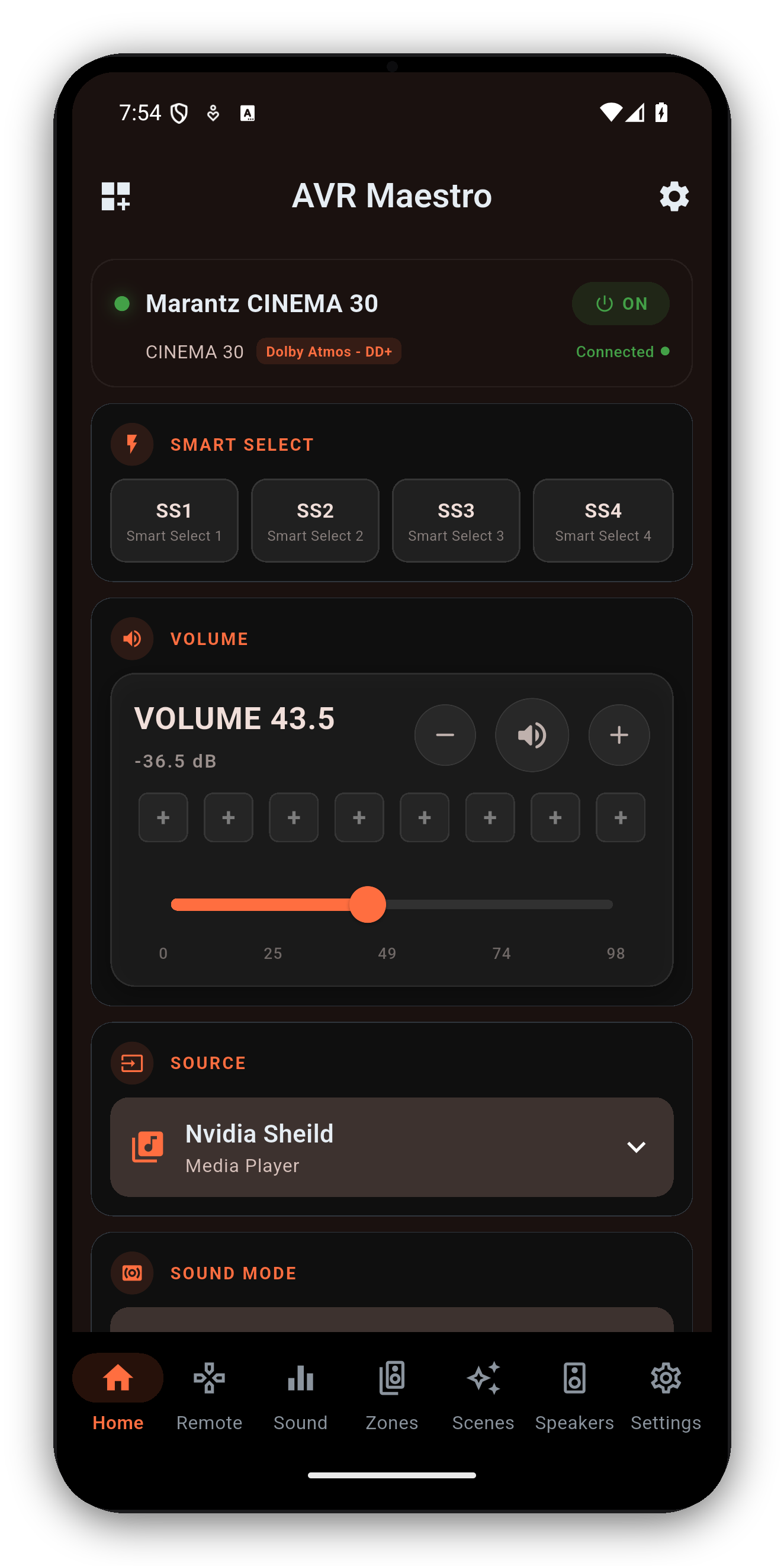
AVR Maestro controlling a Denon AVR-X3800H
Everything the X3800H does

Reach every feature, not just volume

AVR Maestro surfaces the controls the official app buries - plus the Scenes feature it doesn't have at all.

🎥

Every surround mode

Dolby Atmos, DTS:X, Auro-3D and the upmixers - with the active mode and channels shown live.

🎲

Audyssey & Dirac Live

Switch MultEQ curves and Dynamic EQ/Volume, or pick Dirac Live filter slots by name - whichever your speaker preset uses.

🔊

Speaker presets & levels

Full layout, distances, channel levels and crossovers, following the active Speaker Preset.

🎭

One-tap Scenes

Save the X3800H's entire state - input, mode, calibration, zones, tuner - and recall it instantly.

🏠

Multi-zone

Independent Zone 2 / Zone 3 power, input and volume for whole-house audio.

📻

Tuner & HEOS

The FM/AM tuner with presets, plus a live HEOS now-playing display with transport.

AVR Maestro reads the X3800H's capabilities on connect and only shows what it exposes - so you get its full feature set without dead buttons.
Common questions

Denon AVR-X3800H + AVR Maestro

Is there an app to control the Denon AVR-X3800H?
Yes - AVR Maestro is a premium third-party controller for the X3800H. Over your network it controls surround modes, Audyssey and Dirac Live, speaker presets, levels, multi-zone, the tuner and one-tap Scenes.
Does it control Dirac Live on the X3800H?
Yes. With a Dirac Live license it switches your filter slots by name; on a standard Audyssey preset it controls MultEQ, Dynamic EQ, Dynamic Volume and LFC. See the Audyssey & Dirac guide.
Do I need a cloud account?
No - it talks to the X3800H directly over your local network. No cloud, no subscription, no extra hardware; nothing leaves your network.
How do I connect it?
Enable Network Control on the X3800H, grab its IP, and add it in the app. Full steps on the getting started guide.

Get the most out of your X3800H

One-time purchase, no ads, no subscriptions. Connect in under a minute.
Get it on Google Play Download on the App Store Get it on the Microsoft Store

See all supported receivers →