Independent power, input and volume for Zone 2 and Zone 3 on multi-zone Denon and Marantz receivers - and Scenes can capture and restore zone state too. Music in the kitchen, the movie in the theater, all from one app.
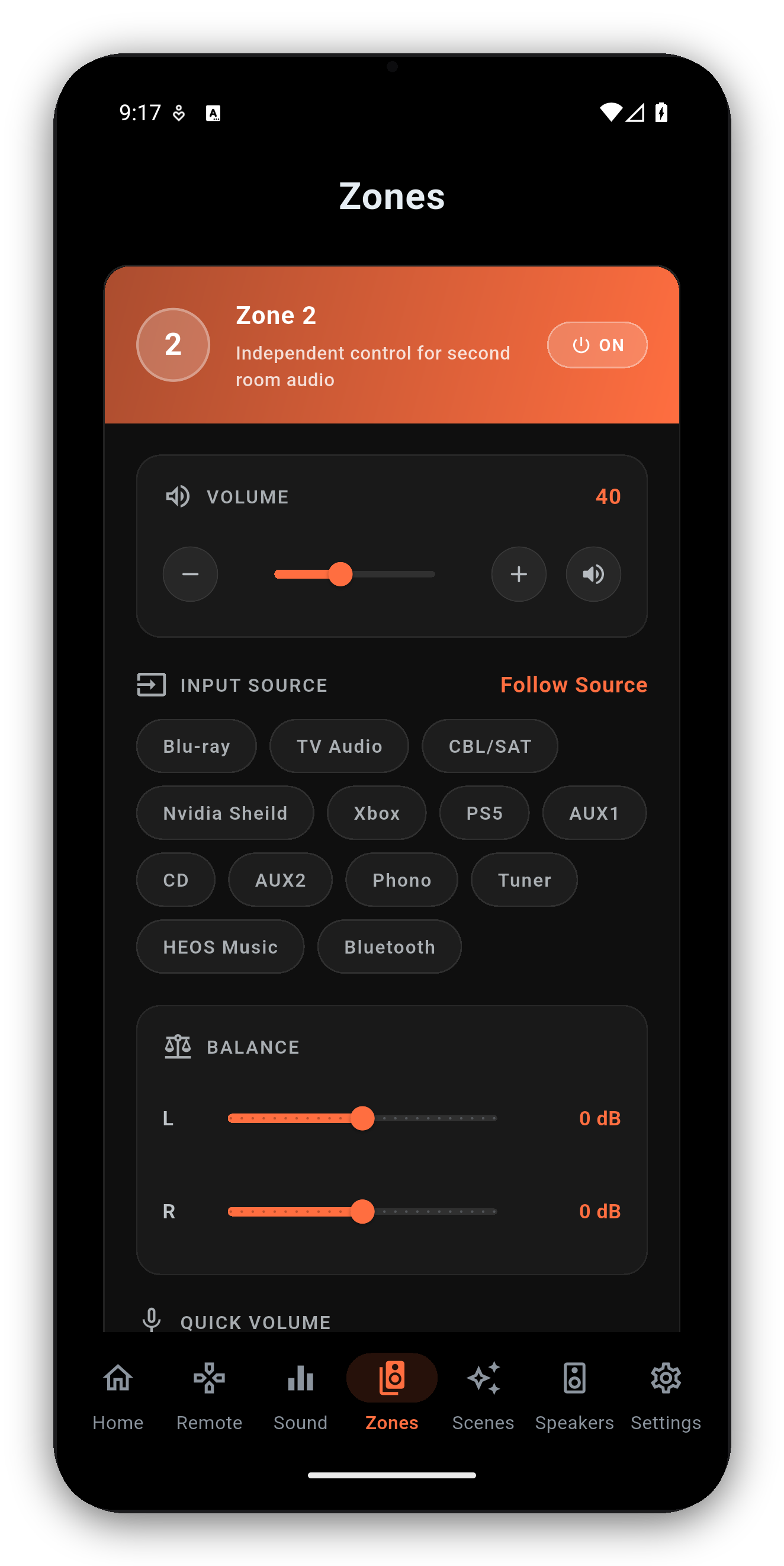
Each zone gets its own power, volume, mute, input and quick-volume presets, completely separate from the main zone.
Turn Zone 2 or Zone 3 on and off without touching the main zone.
A different input and volume per zone, with quick-volume preset chips - presets ramp smoothly by default (Settings, Audio: Gradual / Direct).
The zone's own Quick/Smart Select slots, right on the card - tap a slot to recall it, press and hold to save the zone's current state into it.
Long-press the zone name on the Home screen - main zone included. The name saves to the receiver itself, so every app agrees on it.
Change a zone from the receiver's panel or remote and the app updates within a second.
When a zone is on, its card shows the live HEOS stream for that zone with transport.
A compact Zones widget gives at-a-glance status and quick controls on the Home screen.
Rename a zone by long-pressing its name on the Home screen. The name is written to the receiver, so the front panel and every other app agree with the app.
Denon and Marantz receivers have two different power commands, and the difference matters if music is playing somewhere else in the house.
The system-wide standby command switches the whole chassis off, and the receiver takes the other zones down with it - measured on a Cinema 30, the chassis reports Zone 2 off one millisecond after the standby command lands. So the main power control in AVR Maestro deliberately sends the main-zone command instead. Turn the theatre off from the app and the kitchen keeps playing.
It works the other way too: switching the main zone on from a cold receiver wakes the chassis first, so you do not need to power the receiver on separately before using the app.
One-time purchase, no ads, no subscriptions. Connect in under a minute.




 AVR Maestro