HomeUser Guide › Now Playing
Now Playing & HEOS

What's playing, on one screen

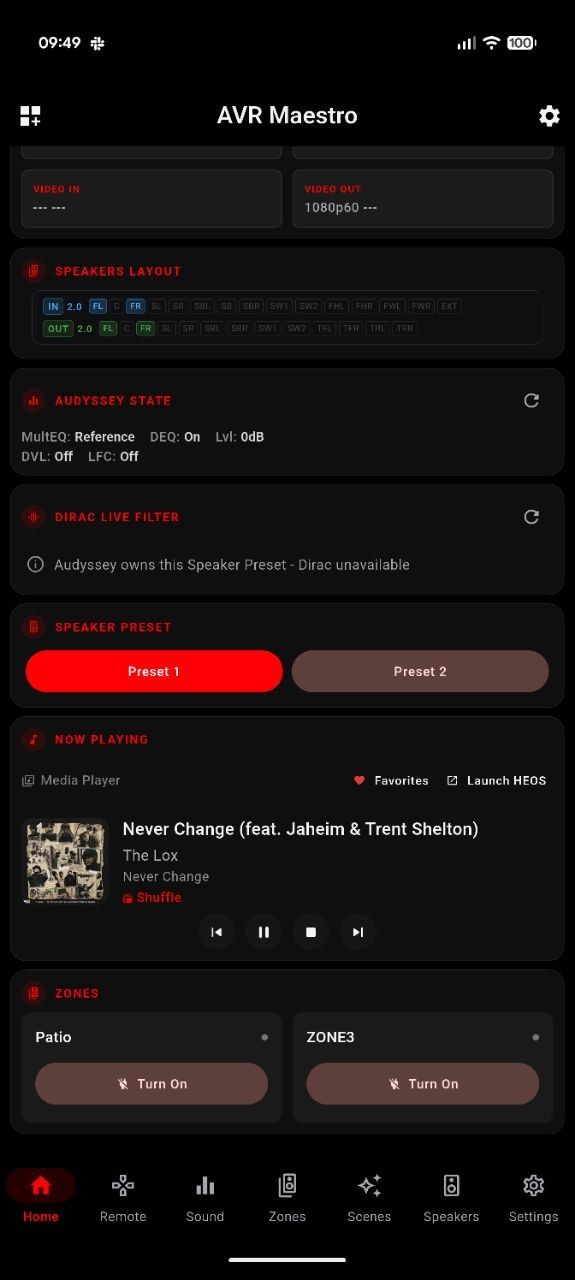
When your source reports metadata, AVR Maestro's Now Playing card puts the album art, the track and the transport right on your home screen - and hands off to HEOS for browsing, then takes back over the moment the music starts.
Everything you're listening to, in one card

The card fills in for HEOS and network sources that report metadata. Analog, optical/coaxial and HDMI passthrough sources don't send track info to the receiver, so the card stays empty on those - that's the source, not the app.
Common questions

Now Playing FAQ

Does it show what's playing?
Yes - for sources that report metadata over HEOS, you get album art, track, artist or station, and transport controls (play, pause, next, previous), live from your receiver.
How do I browse music?
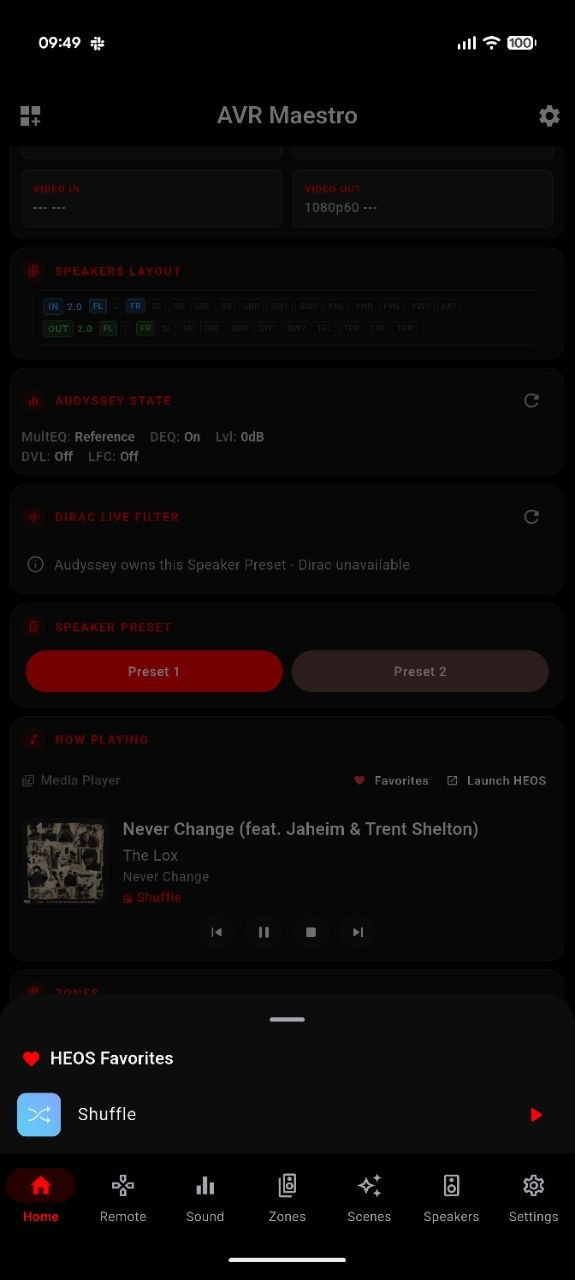
Tap Launch HEOS on the Now Playing card. AVR Maestro opens the official HEOS app to browse stations, queues, HEOS rooms and streaming services. Once playback starts, AVR Maestro takes back over the now-playing display and transport.
Why is the card empty on some inputs?
Analog, optical/coaxial and HDMI passthrough sources don't report track metadata, so there's nothing to show. The card fills in for HEOS and network sources that do.
Where does the Now Playing card live?
On your Home screen, alongside the widgets you choose - volume, source, sound mode, zones and more.

See what's playing, from the couch

One-time purchase, no ads, no subscriptions. Connect in under a minute.

Get it on Google Play Download on the App Store Download on the Mac App Store Get it on the Microsoft Store

Back to the full User Guide →