A device status card stays pinned at the top - model, connection, power - with a customizable grid of widgets below it. Add, remove and reorder cards so the Home screen shows exactly what you care about.
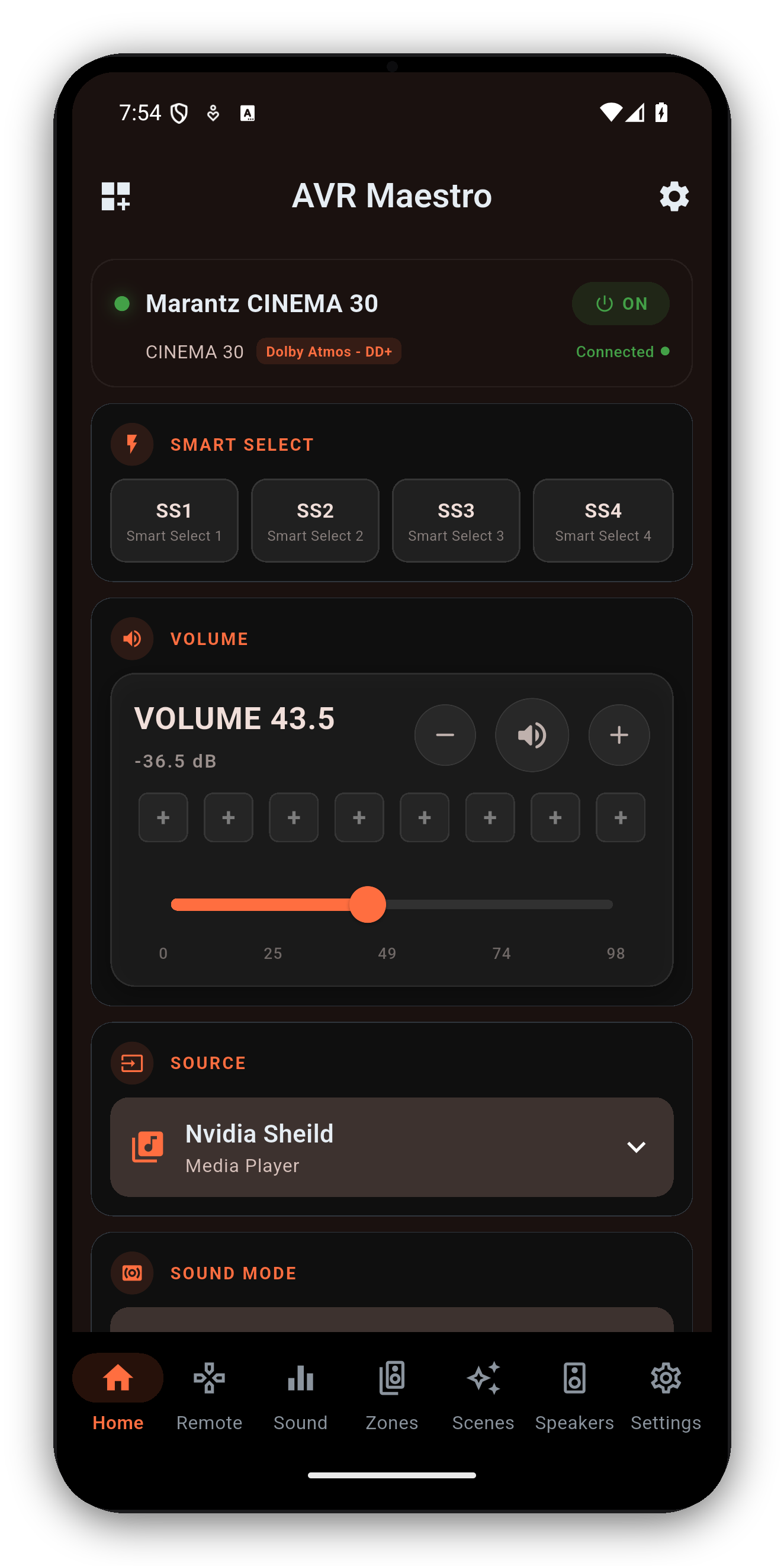
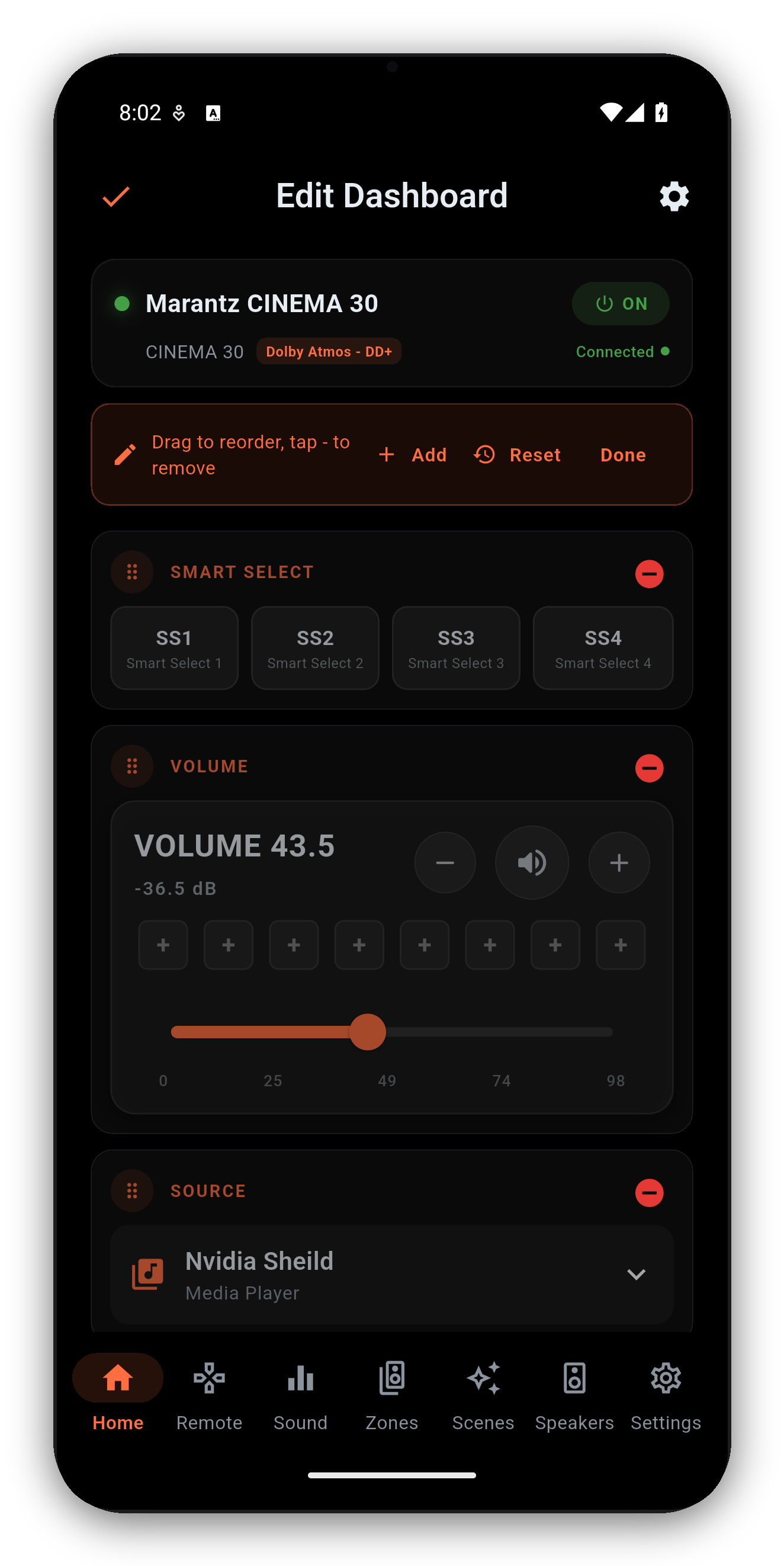
Tap the Customize Home icon (top-left) to enter edit mode:
Long-press the zone name on the Home screen to rename any zone - the main zone included. The name is written to the receiver itself, not just the app, so it shows up in the manufacturer's own app and every other client, and it works on older chassis too. Rename once, and every controller in the house agrees on what the room is called.
| Widget | What it does |
|---|---|
| Volume | Slider with dB readout, mute, and 8 saved volume presets. |
| Source | Open the input picker; long-press tiles to reorder. Renamed sources and the custom input icons you set on the Remote's input grid show here too. |
| Sound Mode | Current surround mode; tap for a grouped picker. |
| Now Playing | Album art, track info and transport for HEOS sources. |
| Zones | Compact Zone 2 / Zone 3 status + quick controls, including the zone's own Quick/Smart Select slots - tap a slot to recall it, press and hold to save the zone's current state into it. |
| Quick Select | Denon Quick Select / Marantz Smart Select buttons. Renamed slots are saved on the receiver, so your names show in every app. |
| Speaker Preset | Preset 1 / 2 switcher - only shown on receivers that expose more than one preset. |
| Audyssey / Dirac | One-glance calibration state + quick deep-link. |
| Channel / Sub Levels | Per-channel and subwoofer level snapshots with steppers - the subwoofer count follows your live receiver configuration. |
| ECO, Sleep, DRC, Restorer, Video, Room Size, LFE | One-tap toggles and pickers, each shown only when supported. |
When the active source exposes metadata, the Now Playing card shows album art, track / artist / station info and transport (play / pause / next / previous).
To browse music - stations, queues, streaming services, HEOS rooms - tap Launch HEOS on the Now Playing card. AVR Maestro opens the official HEOS app for browsing; once playback starts there, AVR Maestro takes back over the now-playing display, transport and widgets. Analog, optical/coaxial and HDMI passthrough sources don't report metadata, so the card stays empty for those.
Getting started · Scenes · Custom Icons · Sound · Graphic EQ · Speakers · Why a control is locked · The Assistant · Home Automation · Home Assistant dashboard · Zones · Remote · Radio (FM/AM) · On-Screen Display · Settings · Languages · Volume Controls · Backup & Restore · Now Playing & HEOS
One-time purchase, no ads, no subscriptions. Connect in under a minute.




 AVR Maestro