HomeReceivers › Denon AVC-X8500HA
13.2-channel reference, fully controlled

The Denon AVC-X8500HA app it deserves

The AVC-X8500HA is Denon's 13.2-channel reference receiver - Audyssey MultEQ XT32, Dirac Live, and the amplification for a no-compromise Atmos room. AVR Maestro keeps pace with all of it from your phone. No cloud, no subscriptions, no ads.

4.9 · 123 ratings
Get it on Google Play Download on the App Store Download on the Mac App Store Get it on the Microsoft Store
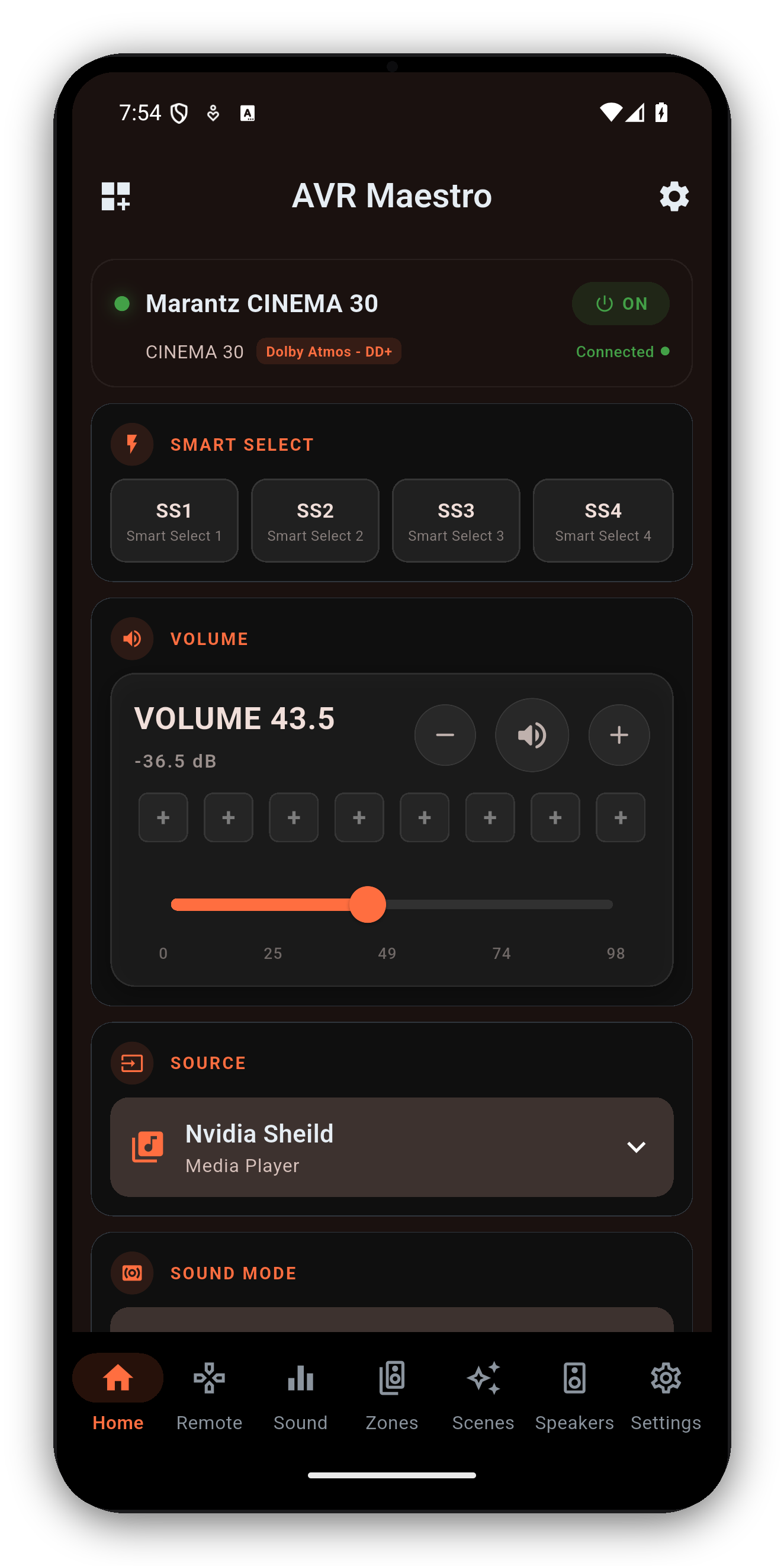
AVR Maestro controlling a Denon AVC-X8500HA
Everything the X8500HA does

Reach every feature, not just volume

AVR Maestro surfaces the controls the official app buries - plus the Scenes feature it does not have at all.

🎥

Every surround mode

Dolby Atmos, DTS:X, Auro-3D and the upmixers - with the active mode and channels shown live.

🎲

Audyssey & Dirac Live

Switch Audyssey MultEQ curves and Dynamic EQ/Volume, or pick Dirac Live filter slots by name - whichever your speaker preset uses.

🔊

Speaker presets & levels

Full layout, distances, channel levels and crossovers, following the active Speaker Preset.

🎭

One-tap Scenes

Save the X8500HA's entire state - input, mode, calibration, zones, tuner - and recall it instantly.

🏠

Multi-zone

Independent Zone 2 / Zone 3 power, input and volume for whole-house audio.

📻

Tuner & HEOS

The FM/AM tuner with presets, plus a live HEOS now-playing display with transport.

The X8500HA's 13.2-channel processing, XT32 calibration and Dirac Live support are all read from the receiver on connect - AVR Maestro only shows what the X8500HA exposes, so you get its full feature set with no dead buttons.
Common questions

Denon AVC-X8500HA + AVR Maestro

Is there an app to control the Denon AVC-X8500HA?
Yes - AVR Maestro is a premium third-party controller for the X8500HA. Over your network it controls surround modes, Audyssey MultEQ XT32 and Dirac Live, speaker presets, levels, multi-zone, the tuner and one-tap Scenes.
Does AVR Maestro control Dirac Live on the X8500HA?
Yes. On a Denon AVC-X8500HA with a Dirac Live license, AVR Maestro lists your Dirac filter slots by name and switches the active one. With a standard Audyssey preset it controls MultEQ, Dynamic EQ, Dynamic Volume and LFC instead. See the Audyssey & Dirac guide.
Do I need a cloud account?
No - it talks to the X8500HA directly over your local network. No cloud, no subscription, no extra hardware; nothing leaves your network.
How do I connect it?
Enable Network Control on the X8500HA, grab its IP, and add it in the app. Full steps on the getting started guide.

Get the most out of your X8500HA

One-time purchase, no ads, no subscriptions. Connect in under a minute.

Get it on Google Play Download on the App Store Download on the Mac App Store Get it on the Microsoft Store

See all supported receivers →